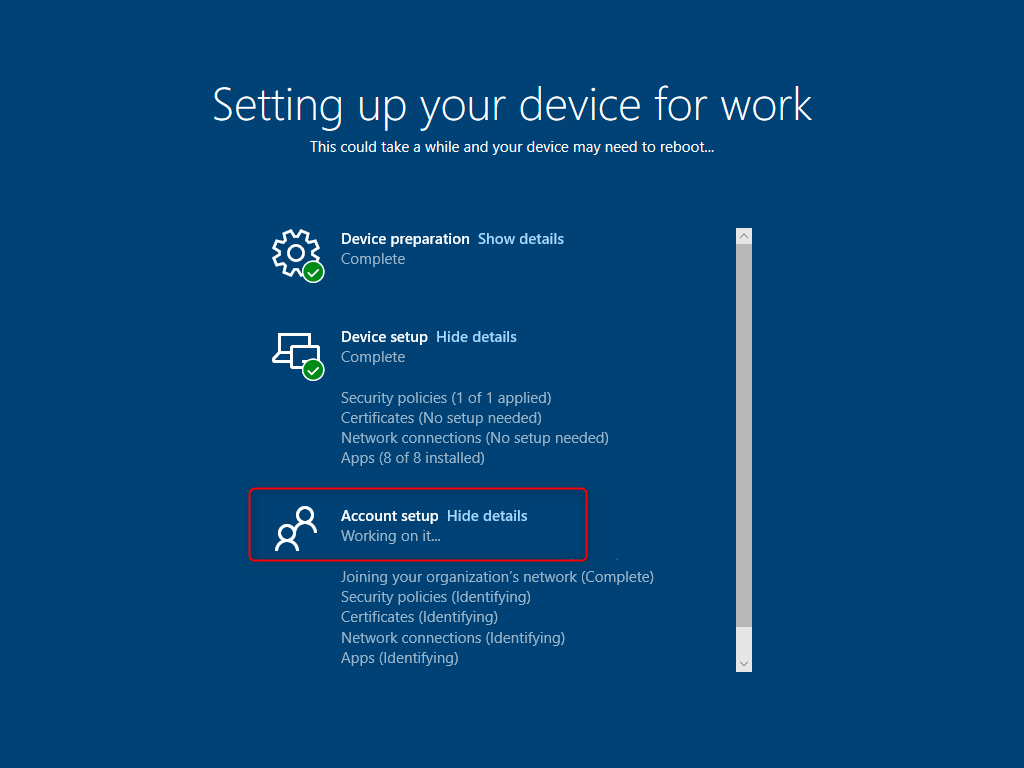
When device setup and preparation are finished, as you can see above ; however, account setup occasionally takes longer than anticipated or sometime if failed with some reason.
You have the option to either bypass the account setup stage or allow it to proceed while you finish the tasks allocated to the user.
We’ll look at how to go around the account setup step in this blog article and continue using the device while the chores are being completed in the background.
Although there are no applications or profiles to handle during the Account creation phase, that process is handled and requires time to complete (to determine whether there are applications and profiles to manage). Why don’t we just save a few minutes and skip this enrollment step?
We can utilize a custom configuration profile with below setting :
Name: Skip Account Setup Page (your choice)
Description: (enter a description)
OMA-URI: ./Vendor/MSFT/DMClient/Provider/ProviderID/FirstSyncStatus/SkipUserStatusPage
Data type: Boolean
Value: True
Target the profile to the device group or groups that you have already assigned the Autopilot enrollment profile. Next time, the user will be able to log in to the device while the account setup duties are completed behind the scenes because the autopilot device will handle only the device setup and preparation.