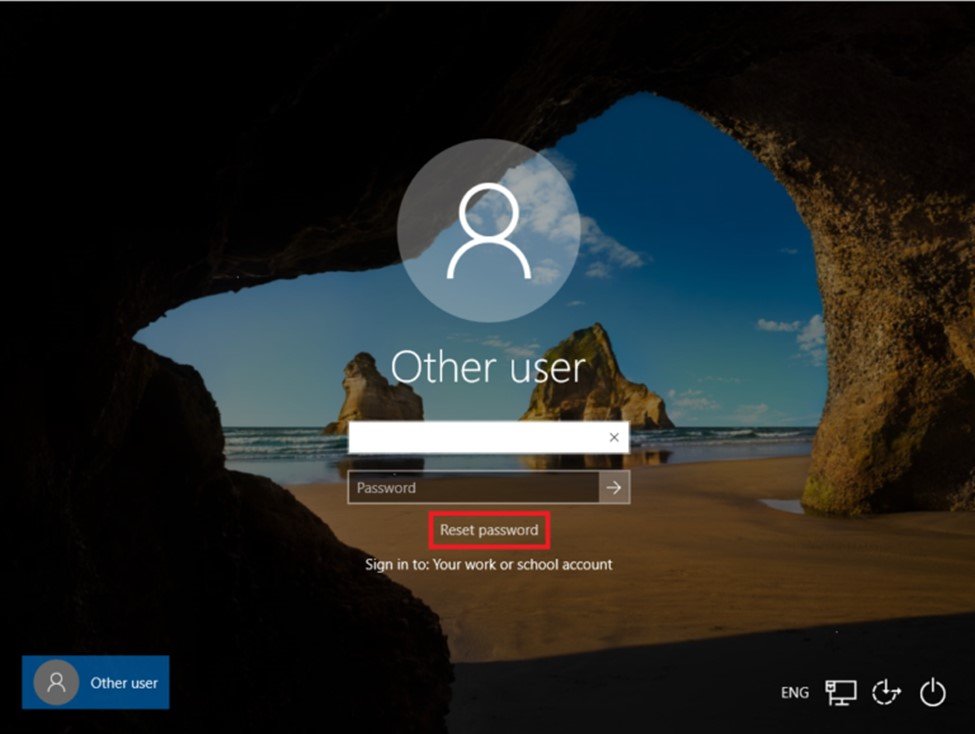
Now, I’ll explain to you how to use the Windows Client logon screen to enable self-service password resets for Azure AD accounts. We must set up a policy in Microsoft Intune in order to activate this capability. This was just introduced to the settings catalog by Microsoft. This was previously an OMA-URI Policy that you had to manually configure.
The legacy OMA-URI configuration was configured with this settings:
- Name: Windows SSPR
- Description:
- OMA-URI: ./Device/Vendor/MSFT/Policy/Config/Authentication/AllowAadPasswordReset
- Data type: Integer
- Value: 1
The configuration of the new method, which is based on the settings catalog, is as follows:

The first step is to configure the profile name:

Now we need to click on “+ Add settings”:

Search for “Allow AAD Password Reset” on the right side and the select the option:

Now switch the slider to “Allow” to enable the feature:

Finish and Assign the profile to a group.
You will notice “Reset password” adjacent to the login screen once your clients have been allocated to the profile. In the event that you forget your password, you can use the Azure AD SSPR feature directly from the logon screen.
